
For Shopify metaobjects
Edit Shopify metaobjects like a spreadsheet
Make bulk changes, review them before applying, and keep verified history and undo — without juggling CSV files.
Runs inside your Shopify admin. Free plan available. Billing handled by Shopify.
Bulk metaobject editing shouldn’t be tedious.
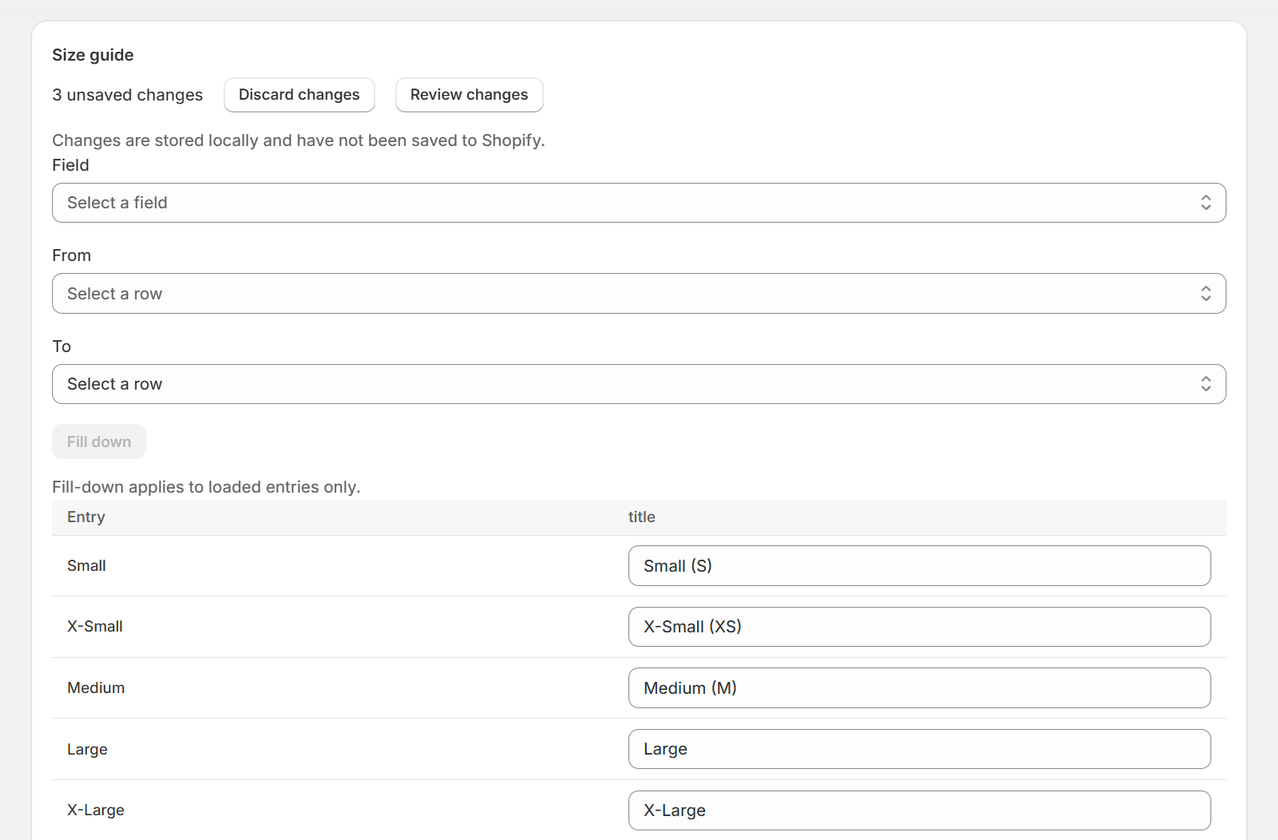
Gridtiva lays your metaobject entries out as a grid: one row per entry, one column per field. Click a cell and type, or fill one value down a range of rows — all inside your Shopify admin.
-
Edit faster
Spreadsheet-style editing and fill-down for Shopify metaobjects, in a grid that lives in your admin. No export, no re-import.
-
Review before Apply
See the current and the proposed value for every cell you touched, before anything is written to Shopify.
-
Recover with confidence
Every confirmed change is recorded with the value it replaced, and can be undone one cell at a time for 30 days.
How it works
Four steps, and only the third one writes anything.
-
Edit
Type in cells, or fill a value down a range of rows. Nothing leaves your browser.
-
Review
An exact before-and-after of every cell you changed, listed entry by entry.
-
Apply
Gridtiva writes each change, then reads it back from Shopify to confirm it landed.
-
History
Confirmed changes are kept for 30 days, and any one of them can be undone.
What it looks like
Real screens from the app, not mock-ups.
Nothing is written until you approve it
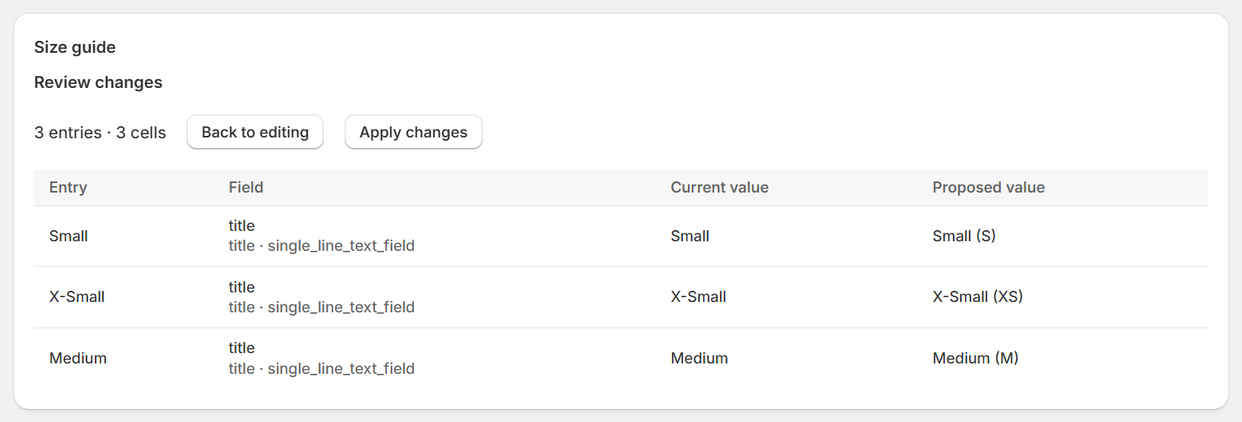
Review changes lists every cell you touched with its current and proposed value. Apply it, or go back and keep editing.
A history you can undo, one cell at a time
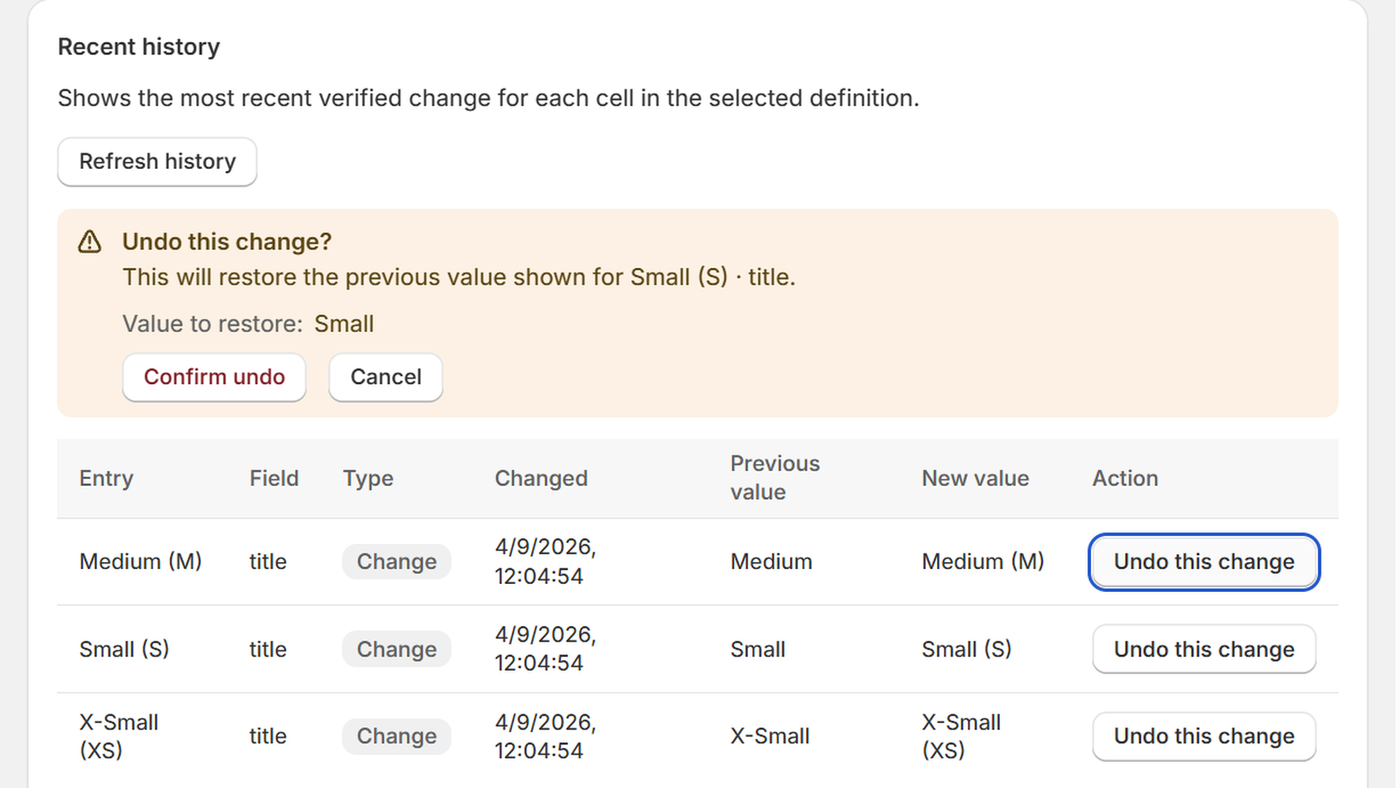
Each confirmed change is recorded with the entry, the field, the value it replaced and when it happened. Undoing one asks you to confirm first, and restores that cell only.
Built for safe, verified Shopify metaobject updates
Gridtiva is deliberately narrow. It reads and writes metaobjects, and nothing else.
-
Verified, not assumed
After writing a change, Gridtiva reads the entry back and checks the value actually landed. Only confirmed changes are reported as applied.
-
It refuses rather than overwrites
If an entry changed after you previewed it, or was deleted, Gridtiva names the entry and the field and declines that change instead of writing over newer data.
-
Focused permissions
Gridtiva asks to read metaobject definitions, read metaobjects and write metaobjects. It cannot see customers, orders, products or inventory.
Simple pricing
The limit counts entries per update, not per month. There is no limit on how many updates you run.
Gridtiva Free
$0
- Up to 10 entries per update
- Preview before applying
- Verified history
- Undo, for 30 days
14 days free to try
Gridtiva Paid
$7.99 USD per month
- Up to 100 entries per update
- Preview before applying
- Verified history
- Undo, for 30 days
Reading your data, the change history and Undo are included in both plans and are never restricted by plan. If a paid subscription ends, future updates return to the Free limit — nothing is deleted, hidden or locked.
Which fields Gridtiva can edit
Gridtiva edits six metaobject field types: single-line text, multi-line text, integer, decimal, true/false, and date.
Fields of any other type — references, files, JSON, colour and so on — are shown in the grid as read-only, and are never written to. Gridtiva edits entries that already exist; creating and deleting entries stays in the Shopify admin.
Ready to try it?
Gridtiva installs from the Shopify App Store, and starts on the Free plan. The listing is being prepared — in the meantime the support page answers what merchants ask most.