
Editing metaobject entries one by one, or round-tripping a CSV?
Bulk edit Shopify metaobjects without CSV
Gridtiva puts your metaobject entries in a spreadsheet-style grid inside your Shopify admin. Edit many at once, review every change, apply it, and keep a verified history you can undo.
Free plan: up to 10 entries per update, no card required. Billing handled by Shopify.
From many entries to one reviewed update
Four steps, and only the third one writes anything to Shopify.
-
Edit like a spreadsheet
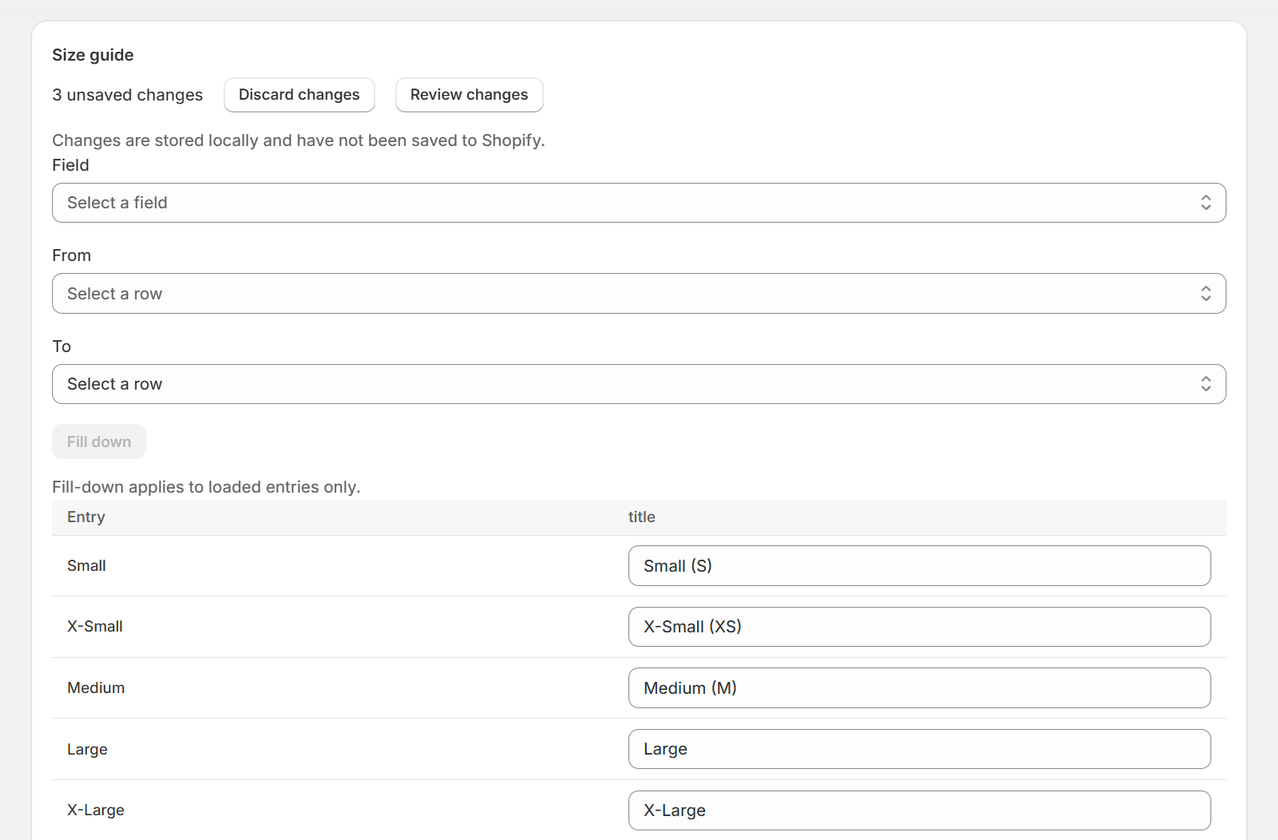
One row per entry, one column per field. Type in cells, or fill one value down a range of rows.
-
Review changes
See the current and the proposed value of every cell you touched, entry by entry.
-
Apply
Gridtiva writes each change, then reads it back from Shopify to confirm it landed.
-
History and Undo
Every confirmed change is kept for 30 days with the value it replaced, and any one cell can be undone.
The problem: one entry at a time, or a CSV round-trip
In the Shopify admin, metaobject entries are opened and saved one at a time. That is fine for three entries. It is slow and error-prone for forty FAQ answers, seventy ingredient descriptions or every expiry date in a certification library.
The usual workaround is a CSV round-trip through an import app: export the entries, edit them in a spreadsheet, import them again, and hope nothing changed in the store in between. You only find out what was written after the import has run.
Gridtiva skips the round-trip for the job it is built for: changing values in entries that already exist, inside your admin, with a review before anything is written.
Gridtiva compared with a CSV round-trip
The comparison is honest in both directions: a CSV import can do things Gridtiva deliberately does not.
| Question | CSV round-trip | Gridtiva |
|---|---|---|
| Where you edit | A spreadsheet outside Shopify | A grid inside your Shopify admin |
| See every change before it is written | Depends on the import tool | Always: a mandatory before-and-after review |
| Confirm each change landed | Export again and compare | Each write is read back from Shopify and checked |
| An entry changed after you started | The import can overwrite the newer value | Gridtiva names the entry and declines that change |
| Undo one change | Re-import an older file | One cell at a time, for 30 days |
| Create or delete entries | Yes | No: Gridtiva edits entries that already exist |
If you need to create entries in bulk, or rebuild references from a spreadsheet, a CSV import is still the right tool. Gridtiva is for the edits that come after.
What Gridtiva edits, and what it does not
Gridtiva edits six metaobject field types: single-line text, multi-line text, integer, decimal, true/false, and date.
Fields of any other type — references, files, rich text, JSON, colour and so on — are shown in the grid as read-only and are never written to. Creating and deleting entries stays in the Shopify admin, and Gridtiva does not import or export CSV files.
Typical uses: FAQ entries, size guide rows, ingredient libraries, product specifications, certifications and expiry dates, store and stockist details, labels and badges.
Pricing
- Gridtiva Free: $0. Up to 10 entries per update. No card required.
- Gridtiva Paid: $7.99 USD per month. Up to 100 entries per update, with a 14-day free trial managed by Shopify.
The limit counts entries per update, not per month. Review, the change history and Undo are included in both plans.
Questions
Do I need a CSV file?
No. You edit the entries directly in the grid inside your Shopify admin.
Can Gridtiva create new entries?
No. It edits entries that already exist.
Can it see my products, orders or customers?
No. It asks to read metaobject definitions, read metaobjects and write metaobjects, and nothing else.
Can I get help setting up my first update?
Yes, by email: write to support@gridtiva.com with the definition you want to edit.
Stop editing metaobjects one by one
Gridtiva installs from the Shopify App Store and starts on the Free plan.